Unreal Scene Optimization Guide
Table of contents:
In-Camera VFX Best Practices
There are a number of challenges associated with building an environment that will be used for an in-camera VFX shoot. The two main concerns are: Mitigating these issues requires close collaboration between the Art team and the Stage team.
 https://docs.unrealengine.com/4.27/en-US/WorkingWithMedia/IntegratingMedia/InCameraVFX/InCameraVFXBestPractices/
Automated performance testing (access to same spec node over vpn?)
Fog sheets, Depth fade instead of vol fog
Cascade shadow
Merge Actors, LOD
SS effects
Settings, console commands
Basepass: Drawcall
Prepass: Triangles
Perf Camera Insights
Unreal insight: -trace=cpu,frame -tracehost=172.16.200.207
Avoid landscapes with nDisplay → bake to static mesh and split (for culling performance)
Stat fps, gpu, rhi
cull distance volume
instance meshes/dynamic
Reduce Draw Call
Reduce Shader Complexity
Reduce Shadow Cost
Renderdoc
Typical problems, easy fixes (volumetric clouds → texture, volumetric fog → fog sheets)
LOD mgmt
smooth frame rate off
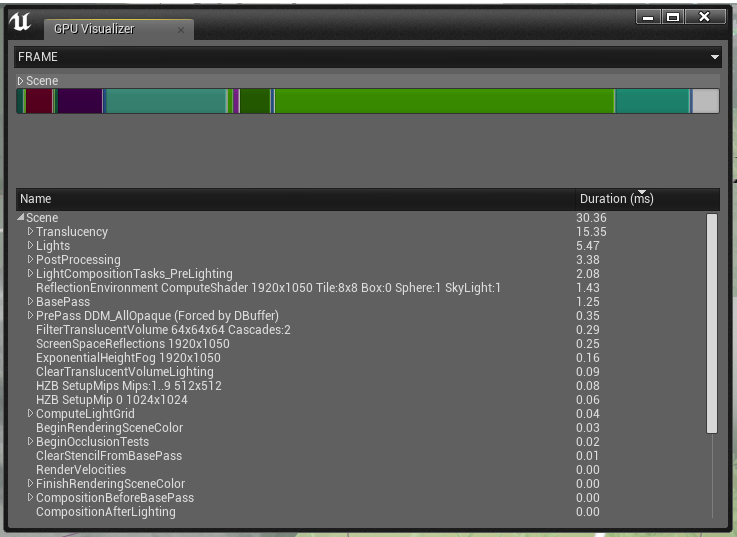
GPU Profiling
The GPU has many units working in parallel, and it is common for it to be bound by different units at different sequences of the frame. Due to the nature of this behavior, it is beneficial to identify where the GPU cost is going when searching for bottlenecks and to understand what a GPU bottleneck is.
https://docs.unrealengine.com/4.27/en-US/TestingAndOptimization/PerformanceAndProfiling/GPU/
UE4 vs UE5
Measuring Performance
In this chapter you'll learn about: The importance of using milliseconds in game development Converting ms to frames per second Basic tools for measuring performance Displaying statistics for each subsystem, like occlusion culling or particles Recording performance metrics and reading them with a profiler If you prefer a video version of this lesson, you can watch it on YouTube.
https://unrealartoptimization.github.io/book/process/measuring-performance/
Shader Optimization
- Reduce Shader Instructions by refactoring code (combine math operations, avoid process heavy operations such as power functions, HLSL)
- Combine Textures
- Mip Map Textures
Unreal Engine Performance Guide
Our one-stop guide to performance with Unreal Engine.
 https://gpuopen.com/unreal-engine-performance-guide/
Further Reading
Understanding BCn Texture Compression Formats
The current state of the art in GPU-supported texture compression is a set of seven formats called BC1 through BC7. These formats are used by almost all realistic 3D games to reduce the memory footprint of their texture maps.
 https://www.reedbeta.com/blog/understanding-bcn-texture-compression-formats/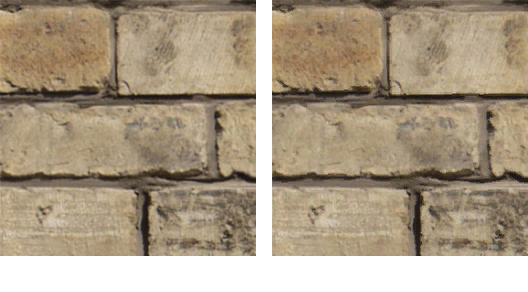
ShowFlag.Testimage